
Oksigenia Jepyso · Exercise routines sent as a link
Open sourceAlphaMobileOksigenia Jepyso
The routine you set, at the pace you set
Oksigenia Jepyso is the app a movement professional uses to build each person's routine and follow it up. The person gets it as a link, with nothing to install or pay, and does it on their phone following a 3D figure that moves at the pace and on the side they were given. For physiotherapists, trainers, PE teachers and senior centres, in any country.
AlphaFirst version in development: the whole cycle, from the routine to the summary, with the first exercises.
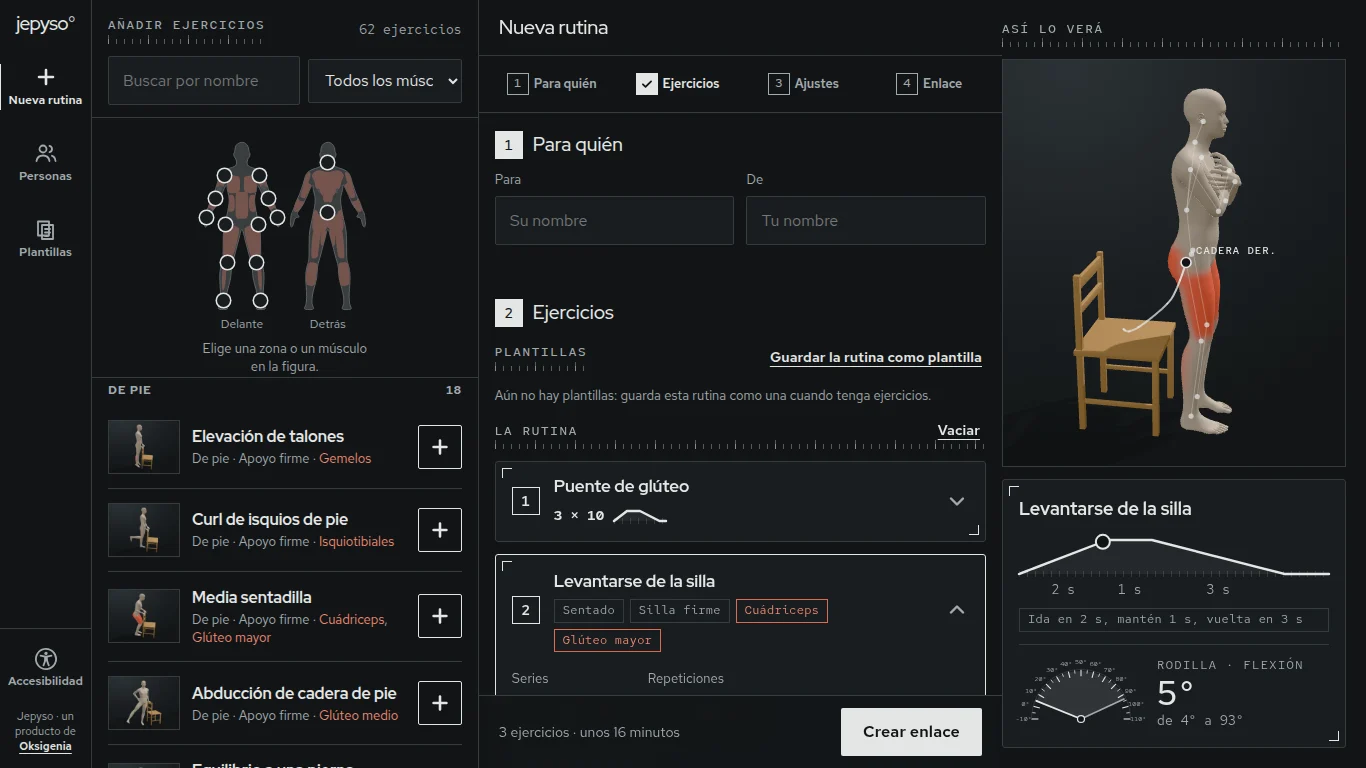
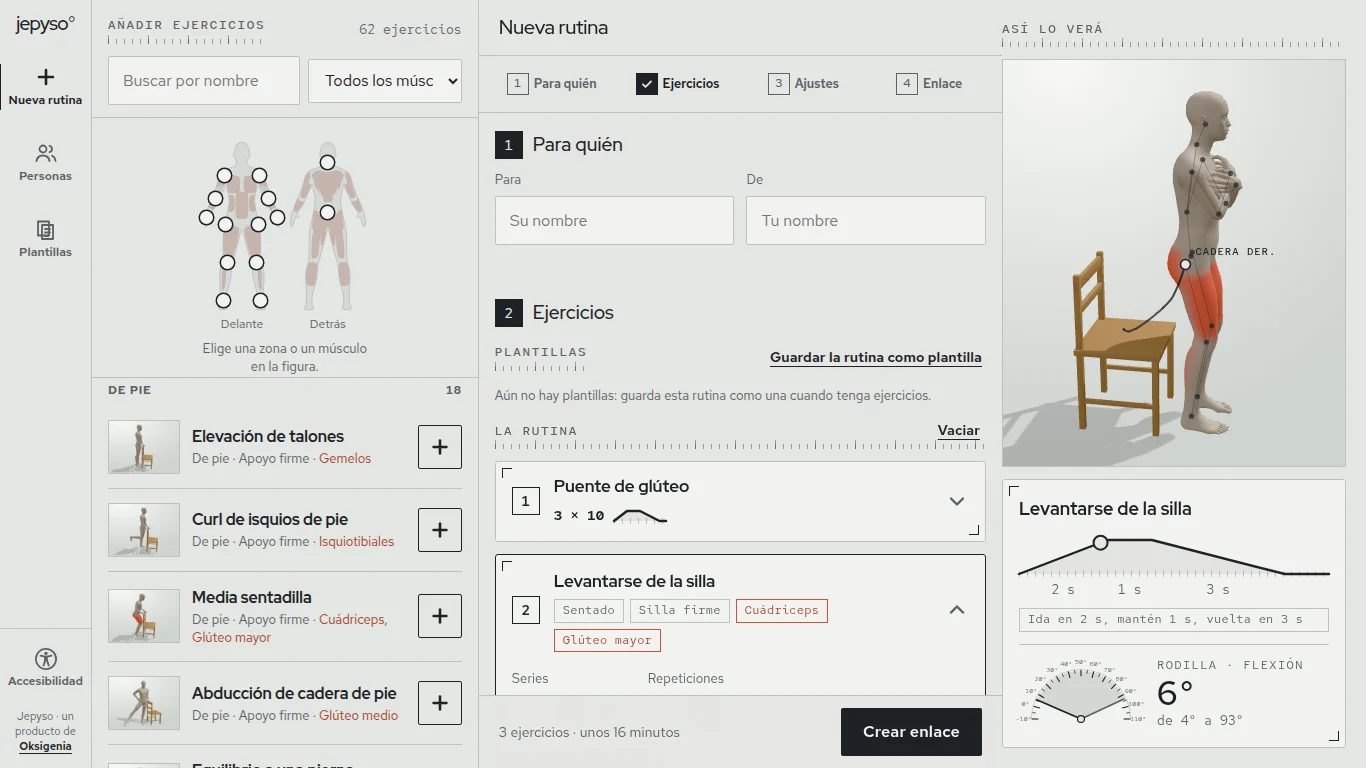
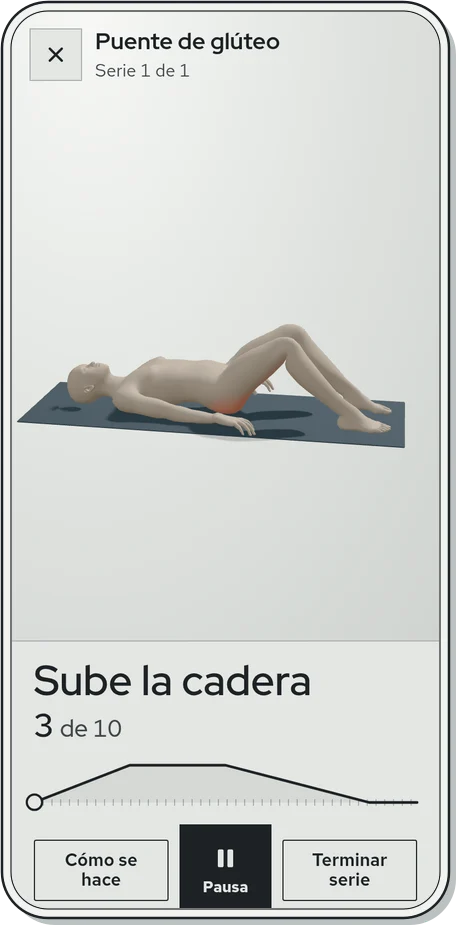
The real app, running
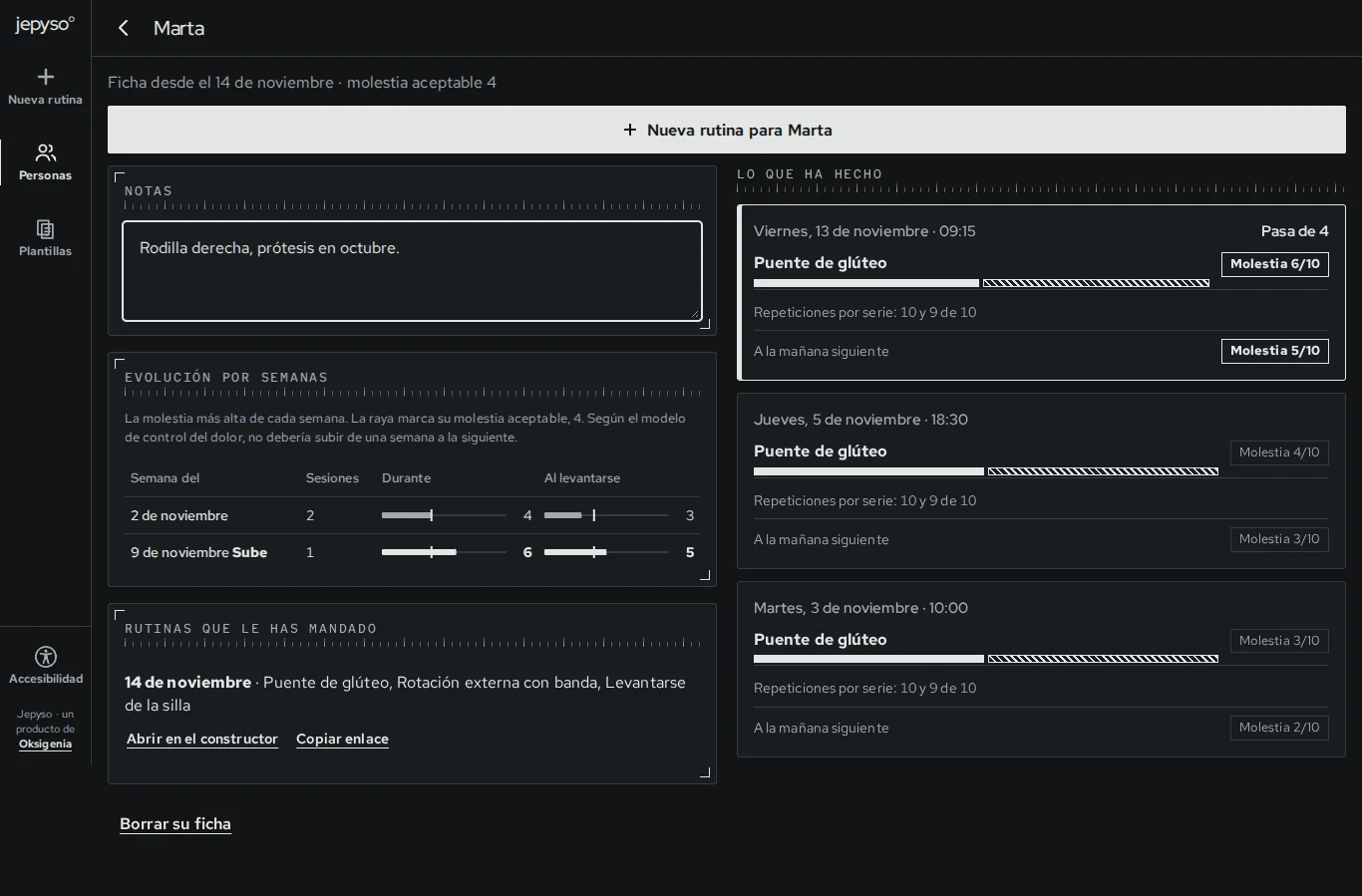
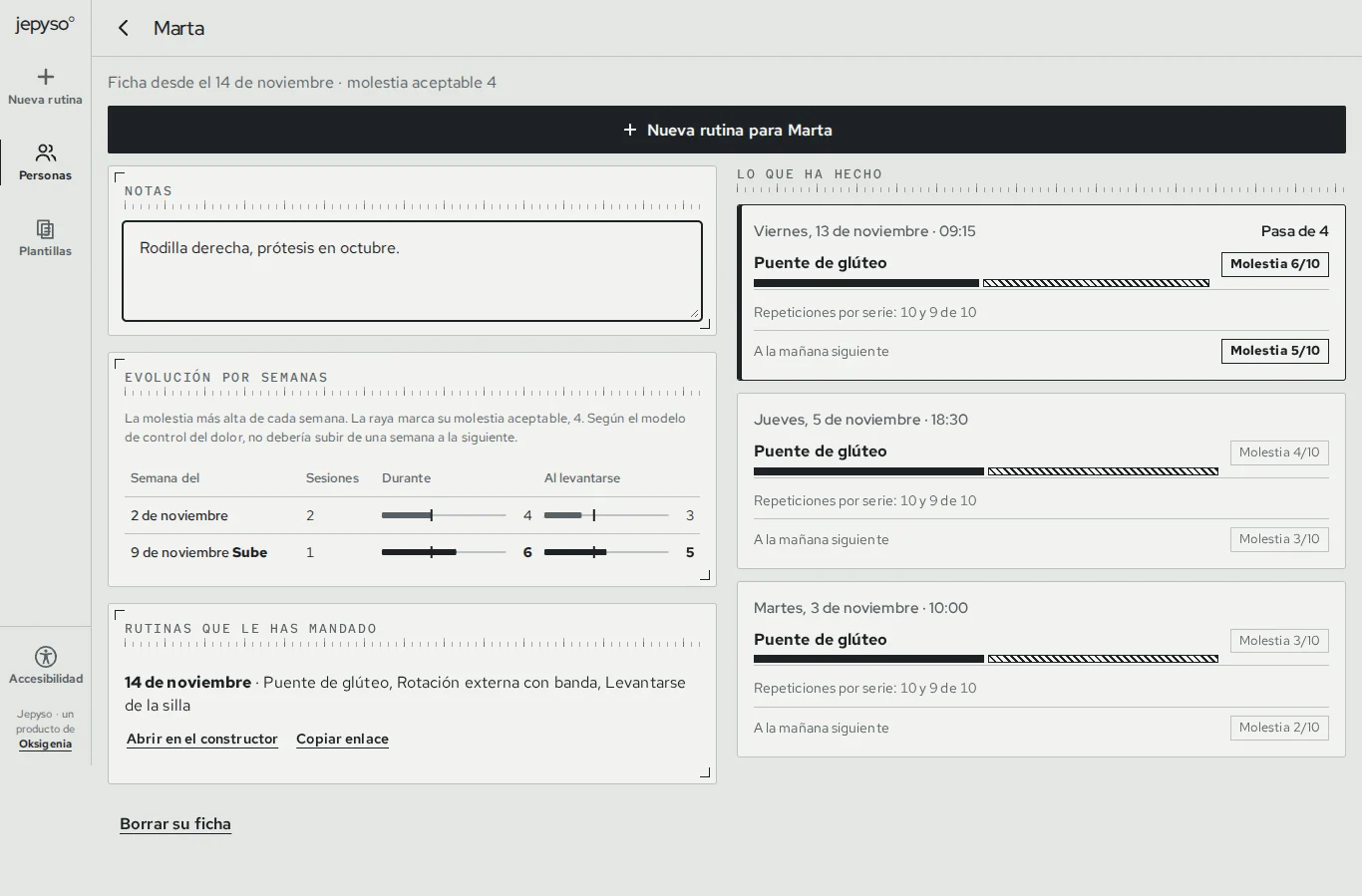
Demo with sample data
What the person sees on their phone
A link, with no account and nothing to install. The figure keeps the pace, the person notes what they did and how it felt, and the summary comes back to you over WhatsApp or Telegram.
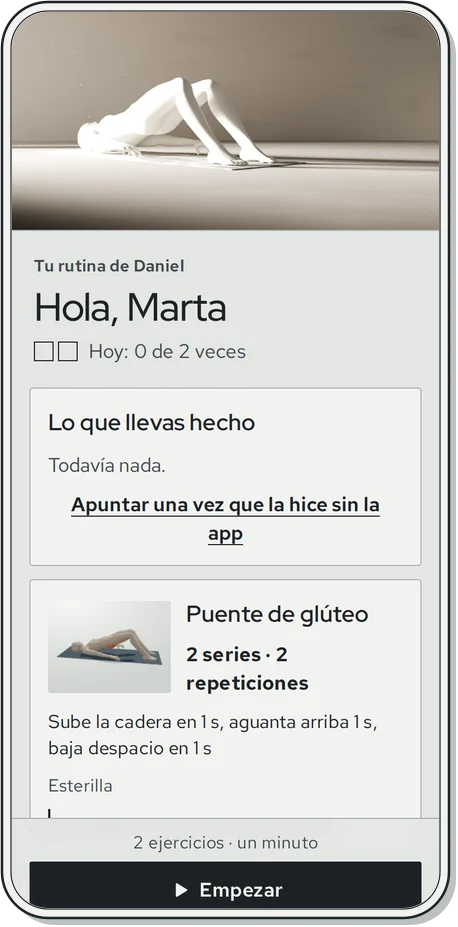
Their routine: each exercise with its sets, its tempo in words, its equipment and your note.
The 3D figure sets the pace, with the phase in large type and the working muscles lit up.
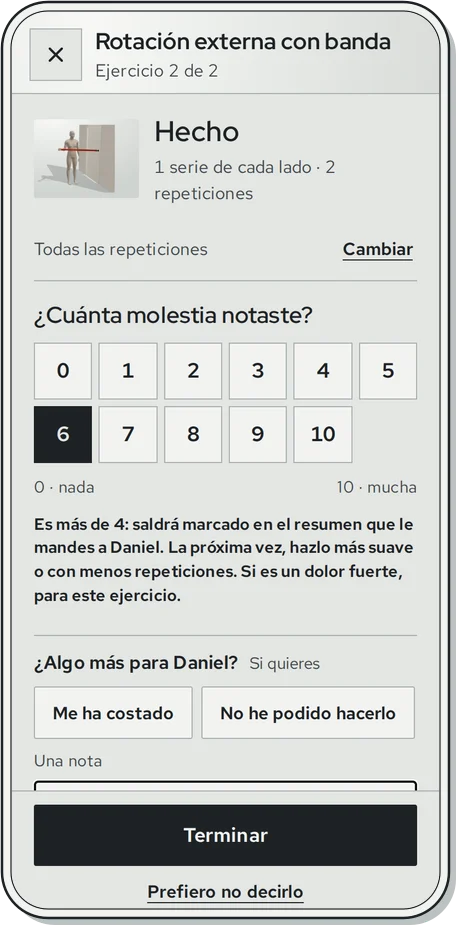
At the end, the reps they did, the discomfort and, if they like, a note for you. Past the acceptable level, they are told.
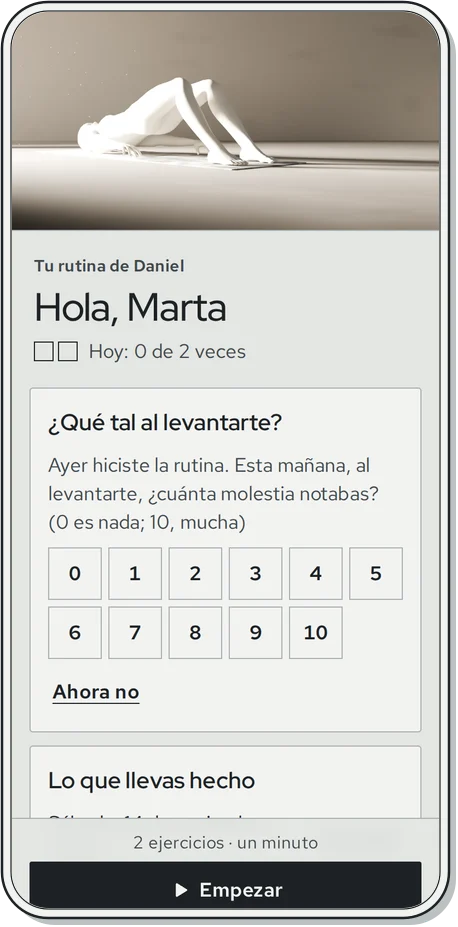
The next morning, the question pain monitoring asks for: how did you feel on getting up?
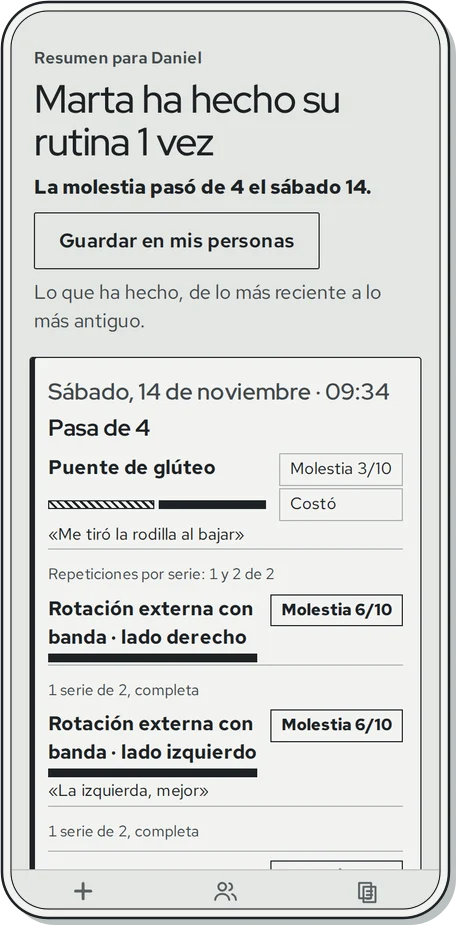
And the summary you get: each day, each exercise and its discomfort, with what went past the level flagged.
How it works
You build the routine
You pick the exercises and set, for each one, the sets, the reps, the tempo of every rep (how long up, how long held and how long down), the side and a note.
You send it as a link
With its QR code, over WhatsApp, Telegram or wherever you like. The person opens it on their phone, with nothing to install and no account to create.
You see how it went
After each exercise they note the reps they actually did and any discomfort, from 0 to 10, and send you back a summary of the days they did it.
Who it is for
- Physiotherapists
- Personal trainers
- PE teachers
- Senior centres
What it does
The professional builds each person's routine and sends it as a link; the person does it on their phone following a 3D figure, with nothing to install or pay, and sends back how it went.
- Runs onWeb
- LanguageSpanish
- LicenceGPL-3.0, the app
A figure that keeps their pace
It does every rep at the tempo you set, with the phase in large type (“Up”, “Hold”, “Down”), a tone for each phase and a vibration for each rep.
The muscles at work, in sight
They light up on the figure, which turns with a finger. In one-sided exercises, it switches to the other side as a mirror image.
How it's done
Each exercise explains the starting position, the steps, where you should feel it, the most common mistake and its easiest form.
Discomfort, kept in check
You set the acceptable discomfort for each routine. If the person goes past it, that exercise is flagged in their summary, and the next day they are asked how much discomfort they felt on getting up.
A file for each person
The routines you send them and every summary they send back, with the days past the acceptable discomfort and how things go from week to week.
Nothing to install
The person just opens a link. If they need a hand, a relative opens the same link and helps, and once opened it works offline.
Standard
- No ads, analytics or tracking
- No account or install for the person
- Works offline once opened
- Open source (GPL v3)
Pricing
Free for whoever receives the routine
Licence: GPL-3.0, the app
Links
Exercise routines sent as a link
Oksigenia Jepyso
The professional builds each person's routine and sends it as a link; the person does it on their phone following a 3D figure, with nothing to install or pay, and sends back how it went.