
Tools
Oksigenia Classtools: the classroom board with your Moodle™ class already loaded
A board for the classroom screen that opens from any Moodle™ course with the students and their photos: turns, groups, a scoreboard, games, materials and votes with the whole class. Free, open source and on the Moodle Marketplace.
Published 3 min read
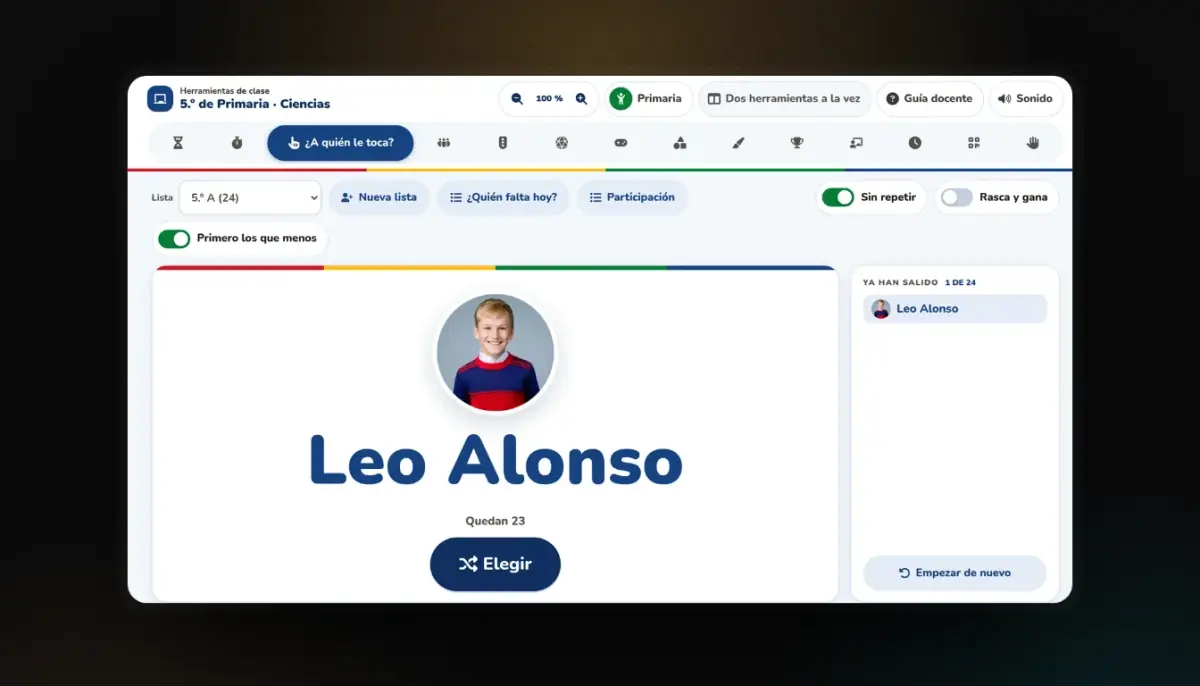
Putting something on the classroom screen tends to start the same way: looking for a wheel or a timer online and copying the class list by hand. Oksigenia Classtools skips that step. It is a classroom board that opens from any Moodle™ course with the course’s students already loaded, with their groups and their photos.
It is free and open source (GPL-3.0), runs on Moodle 4.3 to 5.3 and has been on the Moodle Marketplace since 20 October 2026. Today’s stable release is 1.2.0.
What is inside
- Your class, with their photos: a name picker that shares the turns out fairly over the weeks, who is missing today, and random groups with a role for each, which can become course groups.
- Scoreboard and chance: 2 to 8 teams or a goal for the whole class, a wheel, dice, coins and cards.
- Whole-class games: alphabet wheel, Simon, hangman, guess the word, pairs, a secret code and more, with examples for each level or your own.
- Materials and board: Cuisenaire rods, tangram, number line, fraction wall, base 10 blocks, a balance scale for equations, 3D shapes, a timeline, calculator and a score, plus a board with formulas, ruler, set squares, protractor and compass.
- Live sessions: the class joins with a QR code or a code, no account needed, to vote, buzz in as teams, brainstorm, play a quiz or fill in an exit ticket. Without phones too, with printed cards read by the board’s camera or the teacher’s phone.
- Your phone as a remote: change tool, pick someone or move to the next question without going back to the board.
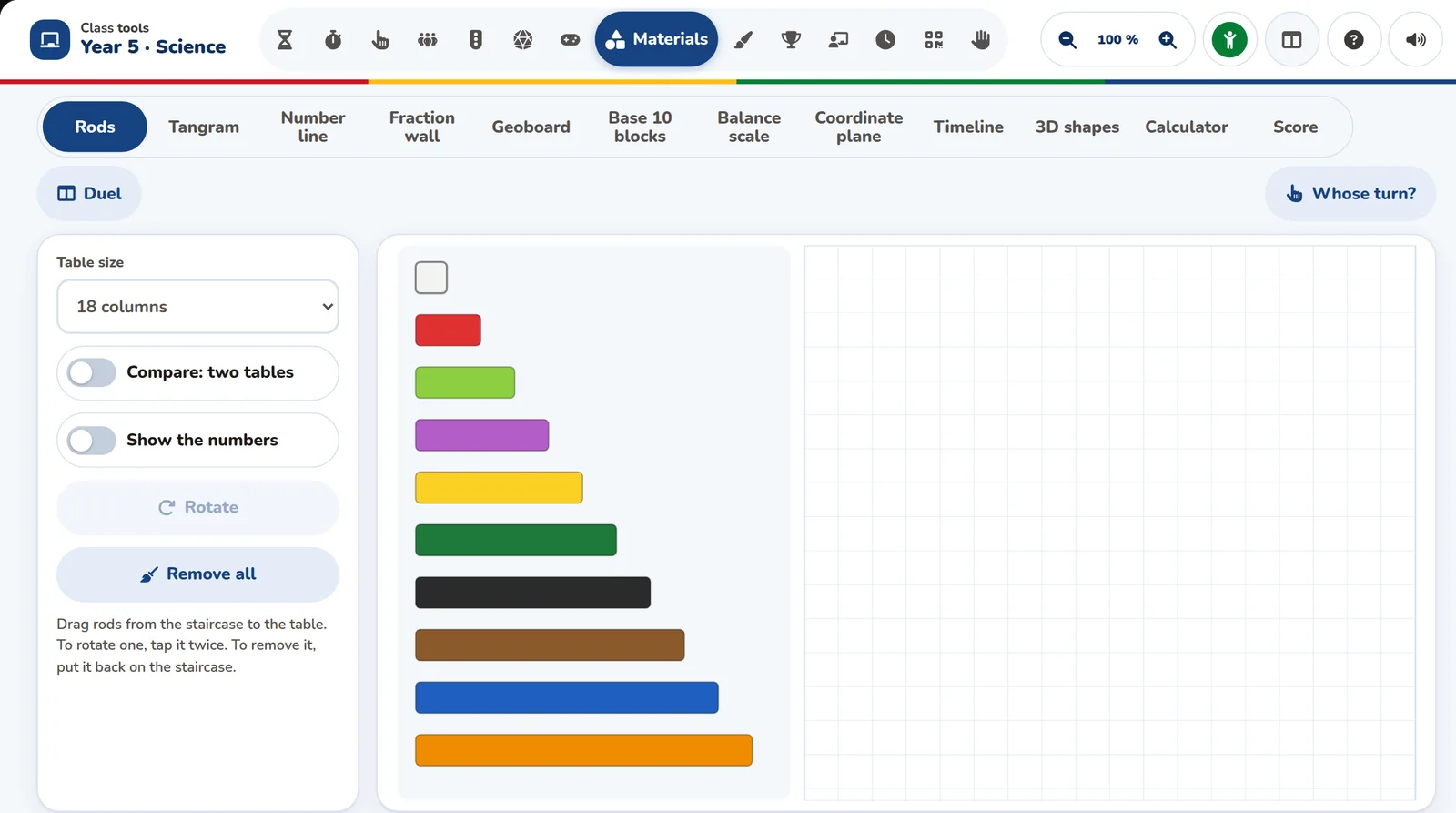
From early years to university
Each course picks its mode: Early years, Primary, Secondary or Advanced. The mode changes the look and what comes first, and every tool stays one tap away. To get started, twenty guided helps with voice show how each thing is done with an invented class, and then you do it with yours.
The data stays in your Moodle™
Classtools is a local plugin. The lists, the groups and the photos come from the course and stay on your server. By default it uses no external service: no CDN and no tracking. It works with any theme.
Try it before you install it
There are three ways, and none asks you to sign up:
- The chaptered video on its page walks through the real board, from early years to university.
- The board in your browser: the same one, with an invented class, for you to use with or without the tour.
- Its classroom on our campus, an open Moodle™ with sample data: go in as a teacher and open the board from the course.
How to install it
Download the ZIP from the Oksigenia Classtools page on the Moodle Marketplace.
Install the plugin in Moodle: Site administration, Plugins, Install plugins.
Pick the ZIP and confirm, then open it from any course.
It also installs from Git. The code and every release are on GitHub.
If you would rather we did it
Classtools is open source and anyone can install it. If you would rather not deal with it, we install it on your Moodle™, or host one for you with the server included and everything kept up to date.
The word Moodle and associated Moodle logos are trademarks or registered trademarks of Moodle Pty Ltd or its related affiliates. Oksigenia is not affiliated with Moodle HQ and is not a Moodle Certified Partner.